Scenario planning in minutes — not weeks.
EasyWIF helps teams model planning changes quickly: filter your forecast, apply what-if scenarios, see the impact instantly, and export updated plans.
- Answer what-if questions fast
- See before vs after impact instantly
- Export updated data back into your workflow
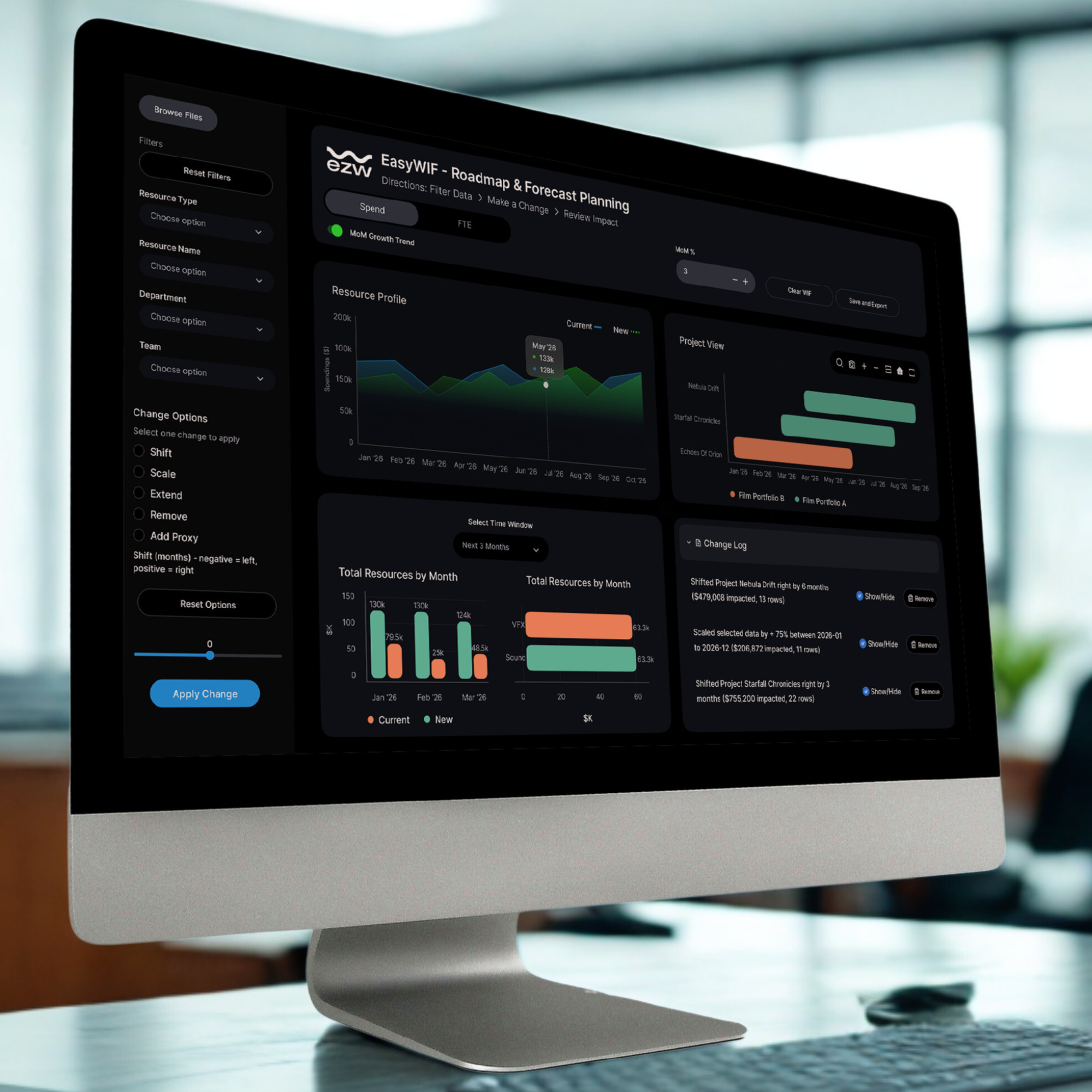
Planning changes faster than spreadsheets can keep up.
Manual rework every time priorities shift
Slow scenario turnaround and decision delays
Spreadsheets that break, drift, and confuse teams
Answers arrive after the question changes
EasyWIF is designed to stay lightweight, intuitive, and focused on the few actions that matter.
How EasyWIF Works
A simple workflow that turns planning changes into clear impact.

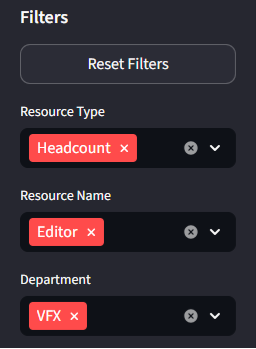
Filter Data
Quickly filter your forecast or plan by project, team, time period, or any dimension that matters.
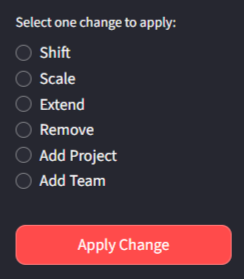
Make a Change
Apply what-if scenarios: shift timelines, adjust resources, change priorities, or model new initiatives.
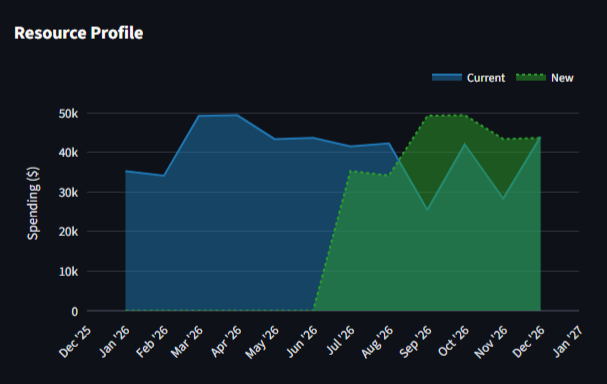
Review Impact
See before vs after comparisons instantly. Understand capacity, spend, and schedule implications at a glance.
Plans don't only change at your desk
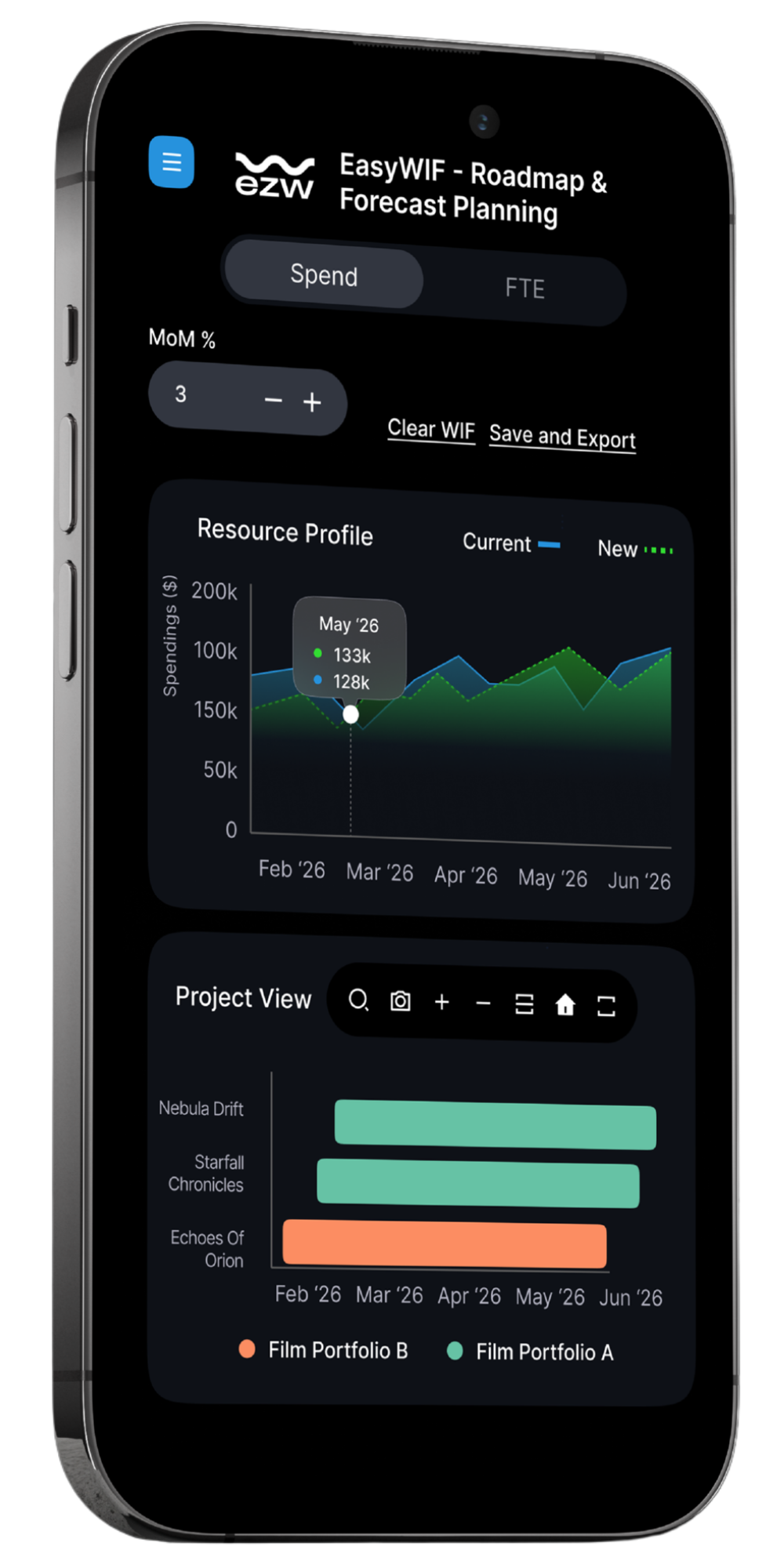
Inspiration, decisions, and questions don't wait for the next planning meeting. EasyWIF is designed to be readable and insightful across devices — so you can review scenarios, understand impact, and stay aligned wherever you are.
Perfect for quick reviews, discussions, and decision prep on the go.
Built by those who have lived the problem
EasyWIF was created by an 18-year technology and operations leader who has spent years managing forecasts, roadmaps, and resource plans across real teams and real constraints.
It's designed to solve everyday planning friction — not add more process, complexity, or overhead.

Paul Landrum — Founder, EasyWIF
18+ years in technology, finance, and operations
Built for clarity — not complexity.
A few powerful views to plan, compare, and decide.
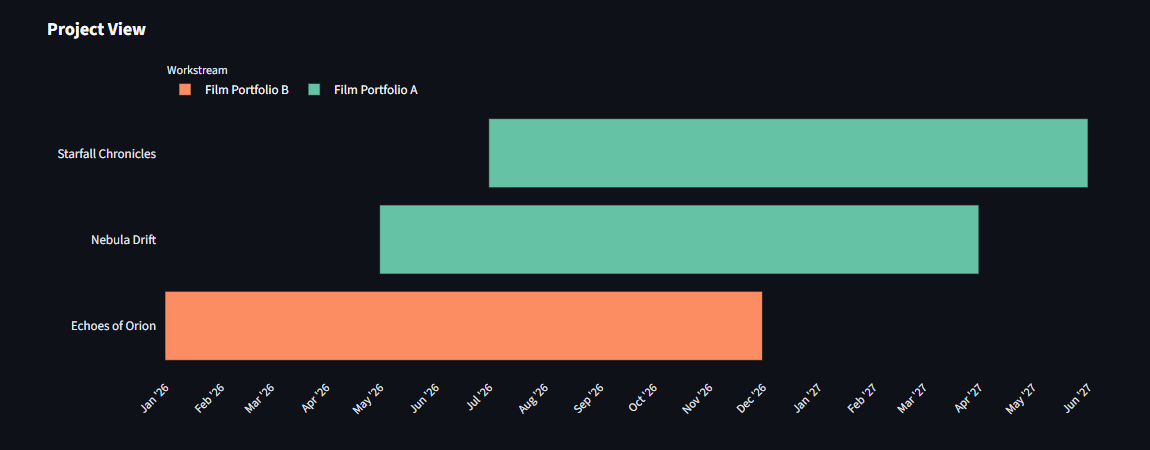
Plan with timeline clarity
- See projects across months
- Group by workstreams
- Understand schedule implications instantly
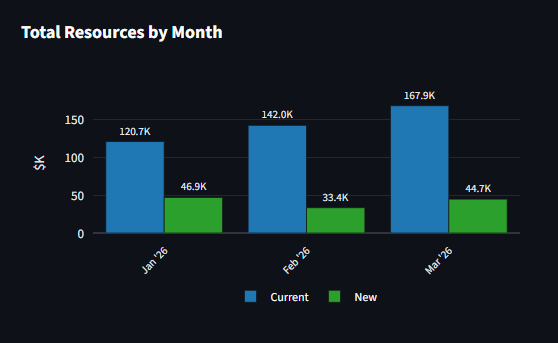
See the impact before you commit
- Compare current vs scenario
- Spot capacity or spend pressure
- Export updated outputs for decision cycles
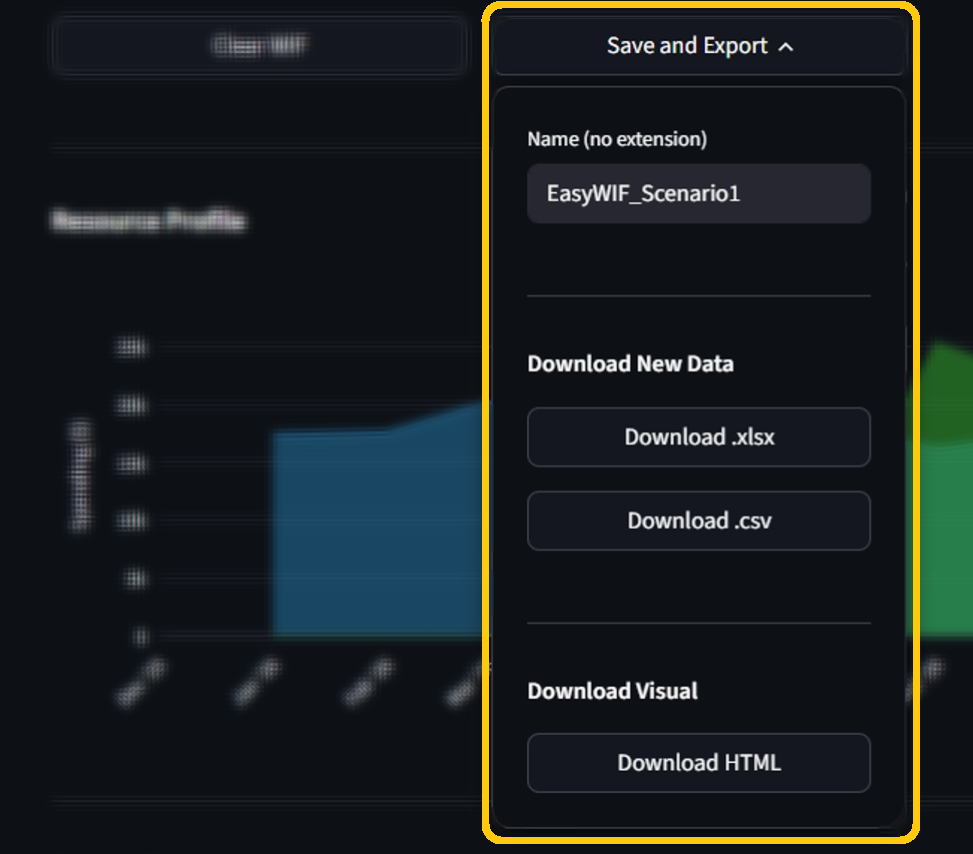
Save & Export
Save scenarios for presentations. Export updated data to avoid rework.
Works with any business where plans change.
If your business uses forecasts, capacity plans, or project roadmaps — EasyWIF helps you model change quickly.
Post-production & media planning
- Reschedule shoots
- Reallocate editors
- Update delivery timelines
Consulting & delivery capacity planning
- Add new projects
- Balance consultant workload
- Identify capacity gaps
Construction project planning
- Shift project phases
- Reallocate crews
- Update cost forecasts
Operations & workforce planning
- Adjust shift schedules
- Scale up or down
- Balance workload across teams
Finance planning & budgeting support
- Model cost changes
- Compare budget options
- See impact on forecasts
Portfolio / roadmap scenario reviews
- Prioritize initiatives
- Model trade-offs
- Align resources to strategy
Early access, guided demos.
Personalized walkthrough
Get a personalized demo that shows how EasyWIF works with your specific planning needs.
Demo with simulated data
We'll use simulated data or a template that matches your format to show how EasyWIF works with your planning needs.
Fast feedback loop
Share what you need, and we'll iterate quickly to make EasyWIF work for your workflow.
Quick Overview
Frequently Asked Questions
Want to see it with your workflow?
Book a demo and we'll walk through EasyWIF using simulated data or a quick template close to your format.
Book a Personalized Demo
Schedule a time that works for you
Open CalendarOr use the form to request a time